

0
Downloads
0
Episodes
Miiduu.com FAQ
Episodes

Jan 17, 2011
Jan 17, 2011
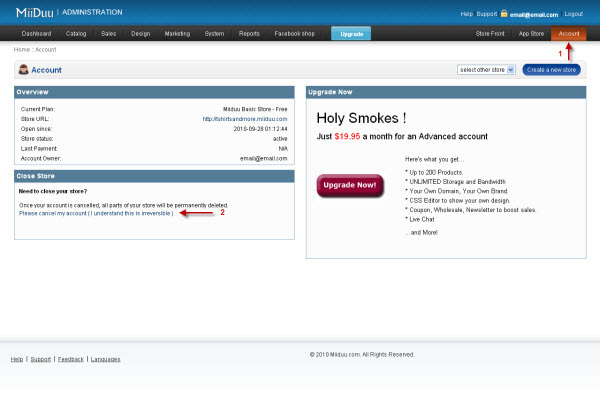
Closing your store is simple. Simply click the "Account" tab in the top right corner, and then click the "Please Cancel My Account" link in the "Close Store" box. If you have a free store, this is all you have to do. If you have a paid store, you will then need to go into PayPal and cancel your subscription. Please note: for security reasons, we do not cancel accounts via e-mail.
No comments yet. Be the first to say something!